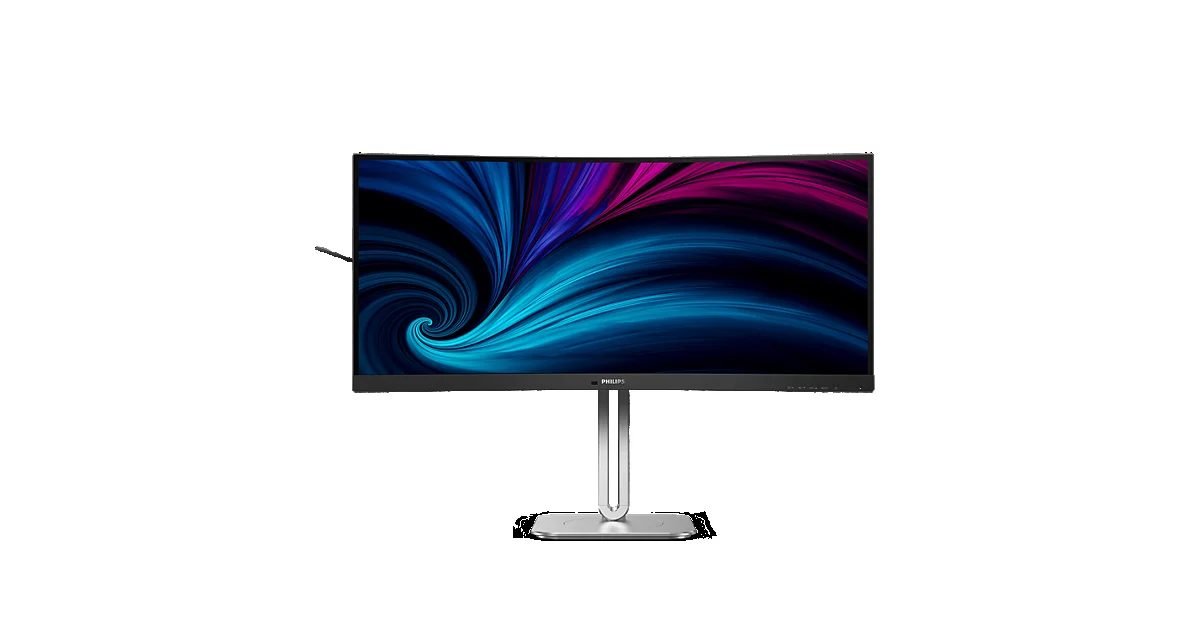
Do you toggle daily between spreadsheets, video calls, and code? A standard desktop screen quickly feels cramped. The Philips 34B2U5900C solves that issue by offering an expansive 34-inch curved workspace. It uses a sharp 5K2K resolution (5120 by 2160 pixels) in an ultrawide layout. This matches the vertical crispness of a 4K display but adds extra side room. Designed for 2026 home offices, this monitor offers sharp text, built-in dock ports, and a single-cable hookup. I used this panel on busy workdays. Snapping three windows side by side completely eliminates screen clutter. This review examines if the sharp image and built-in hub justify the premium price tag.
Philips 34B2U5900C Overview & Key Features
The Philips 34B2U5900C is for professionals who want massive space without adding extra screens to their desk. Its curved glass layout bends slightly to keep the far edges within your natural line of sight. By combining sharp visuals with workstation tools, it aims to replace multiple standalone accessories on your desk.
The manufacturer packed several high-end ports directly into the screen frame to help you work.
- 5K2K Resolution: Provides 5120 x 2160 pixel density for clear fonts across an extended screen layout.
- Thunderbolt 4 Connection: A fast single-cable link. It sends high-resolution video, transfers data, and supplies 96W of power.
- Built-in KVM Switch: This tool lets you control two separate computers using just one keyboard and mouse.
- Integrated Webcam: Includes a pop-up 5-megapixel camera with noise-canceling microphones for secure virtual meetings.
This workstation display usually sells near $1,150 as of September 11, 2026. It is expensive, but the built-in hardware replaces a separate laptop dock and desktop camera. Confirm current pricing on the manufacturer’s site before buying.
Display Quality and 5K2K Visual Performance
Visual clarity remains the main highlight of this ultrawide panel. Sitting at roughly 163 pixels per inch, text looks exceptionally sharp. You can read small spreadsheet numbers or dense lines of code without noticing pixelated font edges. Both Mac and Windows operating systems scale icons smoothly across this canvas.
Color representation easily satisfies creative tasks and daily office work. The panel covers 98 percent of the DCI-P3 gamut. This is a color standard used in video editing. Out of the box, color tones stay balanced without aggressive saturation. Peak brightness reaches around 350 nits, which cuts through typical indoor room light effortlessly.
The screen uses IPS (In-Plane Switching) technology. This keeps color accurate even when you view from side angles. High contrast scenes look vibrant, though deep black tones can appear slightly gray in dark environments. That trade-off is common among non-OLED displays. Still, backlight uniformity remains smooth across the whole curved surface.
Philips 34B2U5900C Pros and Cons
Choosing a high-end productivity monitor comes down to balancing daily efficiency gains against hardware limits. Here are the pros and cons found during real-world testing in 2026.
- Pro: Expansive desktop space. The wide layout lets you view three web pages side-by-side without overlapping edges.
- Pro: Crisp Mac text scaling. Clear font rendering prevents the blurry text issues often seen on lower-resolution ultrawide screens.
- Pro: Hardware device switching. The internal switch lets you share one keyboard and mouse across two active computers effortlessly.
- Pro: Mechanical privacy camera. The pop-up webcam slides completely inside the top bezel when not in use.
- Con: Standard 60Hz refresh rate. This works well for office tasks but lacks the motion smoothness gamers want.
- Con: Underside control buttons. Bottom menu keys feel clunky compared to a simple joystick controller.
- Con: Limited contrast in dark rooms. Shadow details lack deep black levels when working in dim lighting conditions.
- Con: Large stand footprint. The sturdy metal base extends far back, requiring decent desk depth to sit comfortably.
Technical Specifications & Competitor Comparison Table
| Monitor Model | Screen Size & Resolution | Panel & Curve | Docking Ports | Approx. Street Price |
|---|---|---|---|---|
| Philips 34B2U5900C | 34-inch 5K2K (5120×2160) | IPS / 1500R Curved | Thunderbolt 4 (96W), HDMI 2.0, DP 1.4, Ethernet | Around $1,150 (as of September 11, 2026) |
| LG 34WK95U-W | 34-inch 5K2K (5120×2160) | Nano IPS / Flat Screen | Thunderbolt 3 (85W), HDMI 2.0, DP 1.4 | Around $1,000 (prices as of September 11, 2026) |
| Dell UltraSharp U4025QW | 40-inch 5K2K (5120×2160) | IPS Black / 2500R Curved | Thunderbolt 4 (140W), HDMI 2.1, DP 1.4, Ethernet | Around $1,800 (as of September 11, 2026) |
Design and Build Quality
The monitor relies on a dark matte frame attached to a heavy metal base. Philips shaped the glass with a gentle curve. It bends the edges to match your natural eye movements. That subtle curve reduces head motion when scanning across multiple open windows.
Ergonomic options are generous for a screen of this size. The included stand provides 150 millimeters of height adjustment alongside tilt and swivel movements. Solid materials prevent wobbling while typing on your keyboard. A cable cutout in the support pillar hides power and video cords from view.
One thing worth mentioning is how easy the pop-up camera makes video calls. The 5-megapixel webcam slides up from the top frame. Push it down to hide it when meetings end.
Sensors under the front frame automatically adjust display brightness as your room lighting changes.
Productivity Features and Connectivity
The rear hub acts as a full workstation dock for modern laptops. A single Thunderbolt 4 cable routes video, transfers files, and charges your laptop with up to 96 watts. An additional downstream port lets you chain a secondary display or attach high-speed storage drives directly.
Managing two computers on one screen is exceptionally convenient. The built-in KVM hardware lets you switch between systems with one button press on the front bezel. Mouse and keyboard inputs switch between machines in under three seconds without signal dropouts.
Networking and peripheral connectivity round out the package. An onboard RJ45 Ethernet port supplies wired internet to connected laptops over USB-C. Quick-access side ports include standard USB slots and a USB-C port with 15W charging for phones. Dual 5-watt built-in speakers provide clear audio for voice calls.
Ergonomics and Workspace Integration
Assembling the unit takes minimal effort because the stand snaps into the back chassis without screwdrivers. The matte exterior shell prevents distracting reflections under bright office lighting. A fold-out hook on the side housing gives you a convenient spot to hang your headphones.
Do you prefer monitor arms? Removing the base reveals a standard VESA mount layout on the back. Mounting this 34-inch panel on an arm frees up valuable desk space beneath the screen. However, ensure your mounting arm supports heavier ultrawide hardware.
Frequently Asked Questions
What makes a 5K2K resolution different from a standard ultrawide monitor?
A 5K2K display offers 5120 x 2160 pixels. This is much sharper than standard 1440p screens. The extra detail makes small fonts clear. You can view documents side-by-side without zooming.
Is the Philips 34B2U5900C good for gaming as well as office productivity?
This display targets office tasks rather than gaming speed. Its 60Hz refresh rate works fine for casual games. Competitive players will want faster screens. Check the latest price on the official store if gaming performance is your main concern.
Can I connect and charge my laptop using a single cable?
Yes. The Thunderbolt 4 connection supplies video, transfers data, and charges your laptop over one cable. It delivers up to 96 watts of power to charge your laptop while driving the display.
How much does this Philips display cost, and where can I find it?
Pricing sits in the premium tier, though sales occasionally lower the cost. Verify active deals on the official store to find current discounts.
Does this monitor include a built-in KVM switch for multiple computers?
It includes an internal KVM switch. This lets one mouse and keyboard control two connected computers. Switching between systems takes a single button press on the front frame.
Final Verdict: Is the 34B2U5900C Worth It in 2026?
The Philips 34B2U5900C delivers impressive value for professionals who demand sharp text and single-cable organization. Combining an ultrawide screen with a Thunderbolt docking hub simplifies home office setups significantly. While it lacks high refresh rates for gaming, its text clarity and productivity features excel for daily work.
Who should buy the Philips 34B2U5900C:
- Data analysts and programmers: High pixel density keeps small numbers and dense lines of code crisp.
- Multi-computer workers: The internal switch lets you run a personal machine and work laptop on one display seamlessly.
- Desk minimalists: Single-cable power delivery cleans up cable clutter under your workstation.
Who should consider alternatives:
- Fast-paced gamers: A standard 60Hz update rate cannot provide the ultra-fluid motion needed for competitive shooters.
- Budget shoppers: It costs around $1,150. Standard 4K screens cost less if you do not need ultrawide space.
- Dark-room movie viewers: Buyers who want deep black levels for late-night viewing should consider OLED screens instead.
Overall, this monitor stands as a top-tier productivity hub that trades gaming speed for pure office efficiency. Review current options on the manufacturer’s store before making your final purchase.