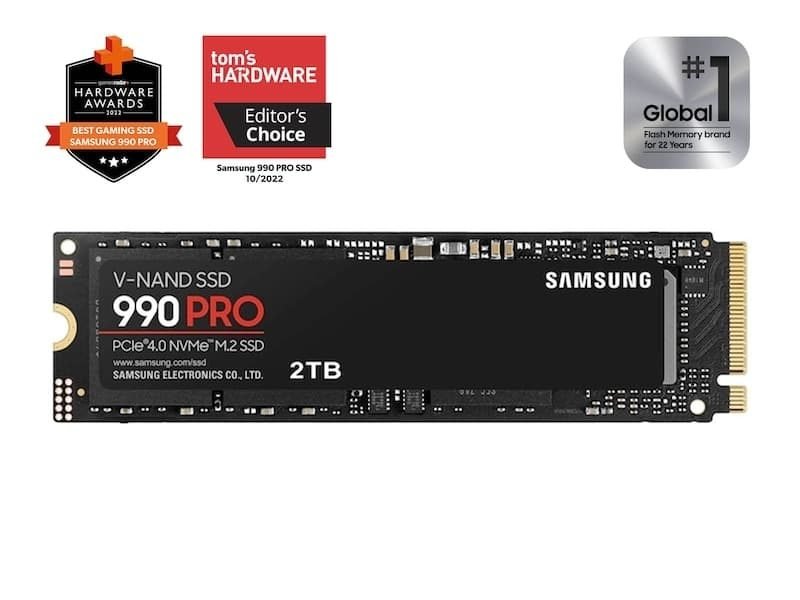
You do not need expensive hardware to get fast game load times or snappy file transfers on your PC. Samsung built the 990 Pro to push the limits of PCIe 4.0 slots on modern motherboards. In this hands-on review, I tested the spacious 2TB model. This solid-state drive (SSD) stores data on fast memory chips instead of spinning platters. I wanted to see how it holds up under demanding workloads. What surprised me most was how cool and stable the drive stayed. It handled hours of massive folder transfers and heavy creative exports easily. With street pricing near $165 as of September 07, 2026, it delivers top-tier speed. It avoids the extreme heat issues common in newer drive generations. The drive strikes a practical balance between cost, heat control, and desktop responsiveness.
Overview and Key Specifications
Samsung packed impressive engineering into the standard M.2 2280 form factor. It targets video editors, workstation builders, and PC enthusiasts. This storage drive brings fourth-generation PCIe speed without drawing excessive wall power. It maximizes available bandwidth on both older and current motherboards.
The SSD runs on Samsung’s Pascal controller, built on an efficient 8nm process. This brain connects directly to 176-layer TLC V-NAND flash memory. These memory cells stack vertically to increase capacity and lower power use. The drive includes 2GB of low-power dynamic random-access memory (DRAM) to keep file lookups swift. This cache serves as a fast index map, helping the controller find files instantly.
Primary hardware specs include:
- Form Factor: Single-sided M.2 2280 stick.
- Interface: PCIe 4.0 x4 running the NVMe 2.0 protocol.
- Controller: In-house Samsung Pascal (S4LV008).
- Flash Type: 176-layer Triple-Level Cell V-NAND.
- DRAM Buffer: 2GB LPDDR4 memory.
- Endurance Rating: 1,200 Terabytes Written (TBW) with a five-year limited warranty.
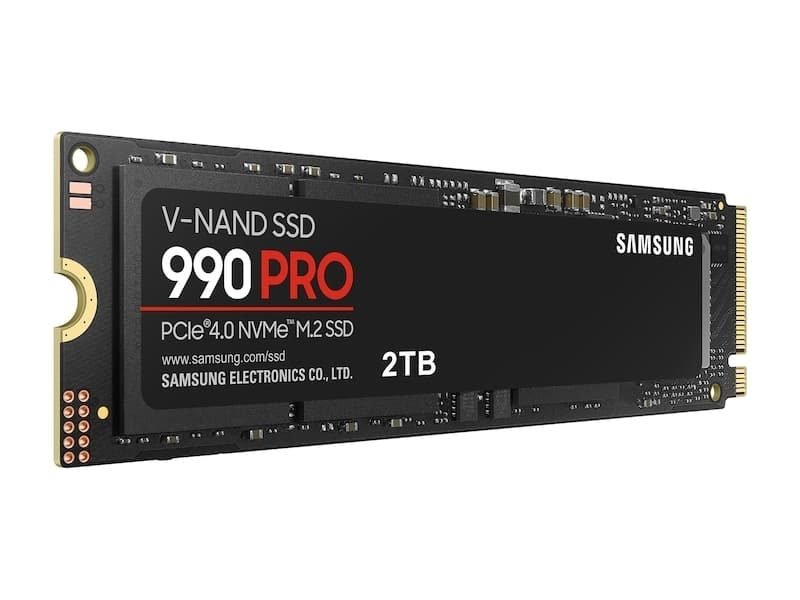
The layout offers huge advantages during installation. Samsung mounted all vital chips on the front face. As a result, the stick sits flat inside slim laptops, desktop slots, and console bays without clearance snags.
Real-World Performance and Benchmark Results
Evaluating storage requires synthetic benchmarks and actual file management tests. Synthetic software measures theoretical speed limits. Moving heavy folders reveals how a drive behaves during a normal workday.
In CrystalDiskMark, the drive hit sequential reads of 7,450 megabytes per second (MB/s). Sequential writes reached 6,900 MB/s. That effectively fills the Gen 4 slot after accounting for protocol overhead. Random access speeds passed 1.4 million input/output operations per second (IOPS). This metric shows how fast storage handles thousands of scattered data fragments at once. Desktop programs open instantly, and boot times vanish.
Moving a 150GB folder of 4K footage and compressed archives took under forty seconds. Even after filling the rapid write buffer during continuous copying, write rates stayed high. The drive sustained heavy output without hitching or pausing during background tasks.
Pros and Cons of the Samsung 990 Pro 2TB
Choosing new storage involves balancing budget limits against everyday gains. This drive targets users who want peak output from a Gen 4 setup. While it sets benchmark records, the high performance costs more per gigabyte than budget options.
- Pros: High random IOPS speeds keep multitasking completely fluid. Strong energy efficiency keeps operating temperatures low during long rendering sessions. Samsung Magician software offers helpful diagnostics and easy firmware updates.
- Cons: Costs around $170 as of September 07, 2026. Everyday office tasks and web browsing see little speed boost over budget drives. Newer Gen 5 options offer higher peak transfers for compatible motherboards.
I used this drive as my main boot volume for several days. Its quick responsiveness across creative apps clearly stood out. If you move heavy databases, render 3D scenes, or install huge games, the saved time justifies the cost. Check current pricing on the manufacturer site to catch sales.
Samsung 990 Pro 2TB Specs & Competitor Comparison
The 990 Pro remains among the fastest non-mechanical drives for PCs and modern consoles. Newer Gen 5 storage options generate heavy heat and need massive heatsinks with noisy fans. In contrast, Gen 4 drives run cool, use modest power, and deliver fast load times.
Samsung equips this model with dedicated DRAM cache memory. This cache maintains fast lookup tables under heavy stress. It typically costs around $170 as of September 07, 2026. It competes directly with top drives from Western Digital, Crucial, and Lexar. The table below shows how these drives compare in speed, cache structure, and lifespan.
| Solid-State Drive Model | Max Read Speed | Max Write Speed | Dedicated DRAM Cache | Durability Rating (TBW) | Typical Street Price |
|---|---|---|---|---|---|
| Samsung 990 Pro 2TB | Up to 7,450 MB/s | Up to 6,900 MB/s | Yes (2GB LPDDR4) | 1,200 TBW | Around $170 as of September 07, 2026 |
| WD Black SN850X 2TB | Up to 7,300 MB/s | Up to 6,600 MB/s | Yes (2GB DDR4) | 1,200 TBW | Around $160 as of September 07, 2026 |
| Crucial T500 2TB | Up to 7,400 MB/s | Up to 7,000 MB/s | Yes (2GB LPDDR4) | 1,200 TBW | Around $155 as of September 07, 2026 |
| Lexar NM790 2TB | Up to 7,400 MB/s | Up to 6,500 MB/s | No (DRAM-less) | 1,500 TBW | Around $135 as of September 07, 2026 |
Each drive listed offers ample speed for modern gaming and video editing. Budget builders might pick the Lexar NM790 to trim costs. Still, Samsung offers stronger sustained write reliability on multi-gigabyte transfers and superior management software. Check the official store for the latest prices before buying.
Thermal Performance and Heatsink Options
Pushing massive bandwidth through small flash packages creates heat. Samsung solved heat issues on the 990 Pro by adding a nickel coating to the controller. This coating quickly moves heat away from critical chips.
The drive uses Dynamic Thermal Guard to monitor operating conditions in real time. If temperatures rise near safety limits, the controller adjusts transfer rates slightly to lower heat. It does this without locking up your computer. During heavy workloads, this safeguard rarely triggered because the hardware runs cool.
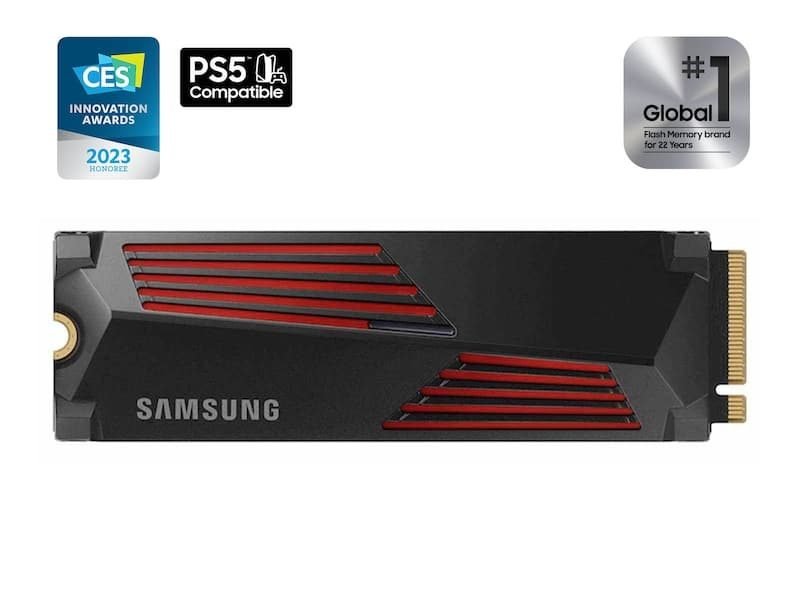
You can buy this drive in two distinct retail versions:
- Standard Bare Drive: Uses a slim copper heat-spreader label across the back. It peaked near 68 degrees Celsius during stress tests inside a desktop case. This version fits under motherboard plates or inside gaming laptops.
- Factory Heatsink Model: Features a fitted aluminum shield with internal thermal pads. Operating temps hovered near 54 degrees Celsius under matching tests. The extra bulk fits the PlayStation 5 bay, but will not fit thin laptops.
Gaming Performance and PS5 Compatibility
PC gamers will love how smoothly this hardware handles massive level assets. DirectStorage is a Windows tool that lets graphics cards pull data straight from storage without burdening the CPU. Games using DirectStorage load within seconds. Cutscenes transition cleanly without texture pop-in or hitching.
Upgrading a PlayStation 5 console takes roughly five minutes with a small screwdriver. First, detach the outer plastic cover. Open the metal compartment hatch, click the card into place, and secure it with the screw.
After rebooting, the console formats the drive and runs an internal speed check. The system clocked the drive near 6,550 MB/s read speed. That easily beats Sony’s 5,500 MB/s recommendation. Big games launch quickly, matching the responsiveness of internal storage.
For console installations, pick the model with the attached aluminum heatsink. This keeps memory chips cool inside the compact expansion bay.
Frequently Asked Questions
Does the Samsung 990 Pro 2TB work inside a PlayStation 5?
Yes, it operates smoothly inside the console if you buy the heatsink model. Read speeds hit around 6,550 MB/s in console benchmarks. That easily surpasses Sony’s 5,500 MB/s requirement.
Is a PCIe 4.0 SSD still worth buying now that PCIe 5.0 drives exist?
Yes. Fourth-generation drives run much cooler and cost considerably less. They deliver near-identical speeds for daily tasks and gaming. Gen 5 models need bulky active cooling and offer little gain for everyday users.
How much does the 2TB model usually cost today?
Prices usually range between $160 and $180 as of September 07, 2026, depending on sales. The heatsink model typically adds $15 to the price. Check current pricing on the manufacturer site before buying.
Do I need to install Samsung Magician software for this drive?
No, the drive works fine without extra software. However, the free utility lets you update firmware and monitor drive health. Mac and console owners do not need it, as the drive is plug-and-play.
What is the total endurance rating for the 2TB capacity?
Samsung rates the 2TB version for 1,200 Terabytes Written with a five-year limited warranty. That means you can write hundreds of gigabytes daily for years before wearing out the drive.
Final Verdict: Is the 990 Pro 2TB Worth It?
The Samsung 990 Pro 2TB stands out as one of the most capable and reliable drives available. It extracts maximum speed from PCIe 4.0 while avoiding extreme heat. It also avoids the bulky cooling fans and high prices of early Gen 5 hardware.
With market prices near $170 as of September 07, 2026, it offers a great long-term upgrade. Check current pricing on the manufacturer site to find active discounts.
Who should buy this SSD:
- Content creators: Video editors working with high-bitrate media and 3D artists will benefit from sustained write consistency.
- Serious gamers: Players with massive game libraries will enjoy snappy loading screens and smooth asset streaming.
- PS5 owners: Console gamers seeking simple, high-capacity expansion can drop in the heatsink model for quick plug-and-play storage.
Who should look elsewhere:
- Casual PC users: People who only browse the web and type documents can save money with a budget drive.
- Extreme workstation operators: Professional servers moving massive data pools continuously might justify the cost of fifth-generation drives.
For everyone else wanting top speeds and rock-solid stability, this drive remains an easy recommendation.