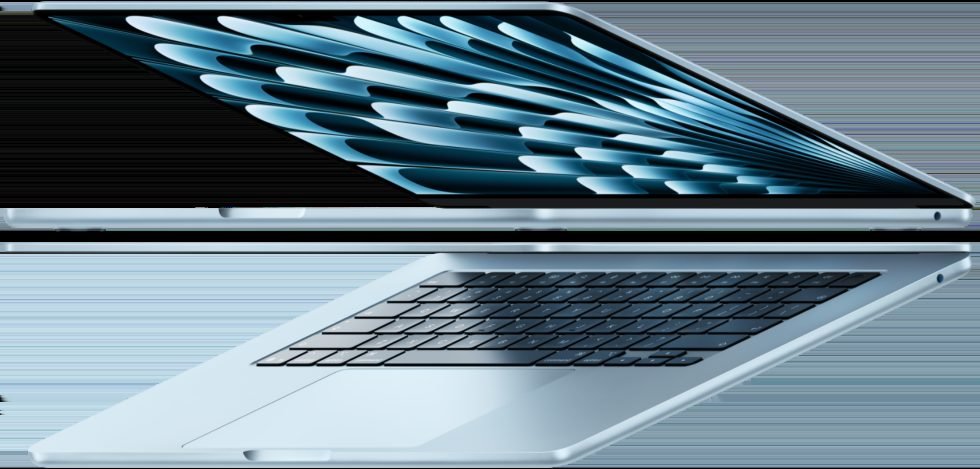
Choosing between a sleek Windows ultraportable and Apple’s entry laptop feels tougher than ever. The HP OmniBook 5 and the MacBook Neo target the exact same sweet spot. They serve everyday workers and students who want all-day battery life without spending thousands. HP focuses on flexibility. You get a bright touchscreen and standard ports for older cables without dongles. Apple takes the opposite path, building a silent aluminum machine that syncs smoothly with iPhones and iPads. Neither computer walks away with a clean sweep. Each makes clear trade-offs with storage upgrades, app compatibility, and everyday power. This guide breaks down battery life, typing comfort, and screen quality. You can pick the right daily companion. We weigh every practical trade-off before you open your wallet.
Battery Endurance and Portability in Real-World Use
The HP OmniBook surprisingly matched Apple during daily battery tests. Both laptops handled normal office work easily, including web tabs, spreadsheets, and music streaming. Apple silicon sips power during light tasks to keep the MacBook Neo running all day. Meanwhile, the OmniBook uses an energy-efficient mobile-style processor. This modern chip stretches your battery across a full nine-hour workday.
Sleep efficiency reveals a clearer divide between these systems. Close the MacBook Neo lid on Friday night, and the battery level barely moves by Monday morning. The OmniBook holds power well for a Windows laptop. Still, it loses three to four percent charge overnight. Apple still wins at stopping battery drain during sleep.
Charging habits flip that advantage in HP’s favor. The small oval USB-C plug found on modern phones powers both laptops:
- HP OmniBook: Reaches 50 percent charge in about 30 minutes with its fast charger. That makes quick top-offs easy.
- MacBook Neo: Draws power at a slower rate, needing roughly 45 minutes to reach that same halfway mark.
Each laptop stays below three pounds, making both easy to slide into a commuter backpack. The Neo wins on sleep mode battery life. But HP charges to full power much faster.
Pros and Cons of Each Laptop
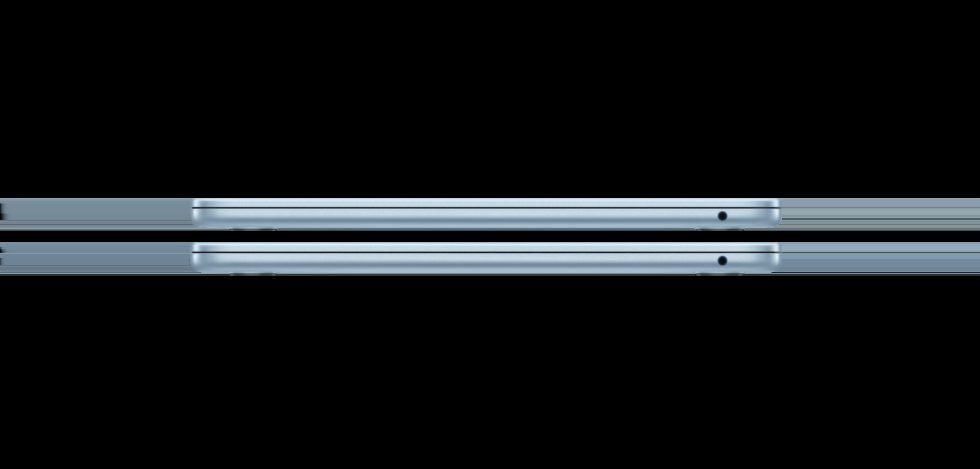
Sorting practical perks from daily annoyances helps clarify which model fits your personal routine.
HP OmniBook 5 Pros:
- Touchscreen convenience: Tapping screen buttons, signing forms directly, and scrolling web articles feels natural.
- Flexible connectivity: Built-in ports let you plug in thumb drives and external monitors without carrying pocket hubs.
- Software freedom: Windows lets you run specialized workplace tools, custom tweaks, and older office utilities freely.
HP OmniBook 5 Cons:
- Emulation quirks: A handful of older 32-bit programs run sluggishly on the new processor design.
- Hinged trackpad: The click mechanism stiffens near the top edges compared to smooth glass pads.
MacBook Neo Pros:
- Silent fanless body: The laptop produces zero hum, staying quiet under heavy browser workloads.
- Apple ecosystem perks: Copying text from an iPhone to paste onto your laptop clipboard works instantly.
- Speaker output: Full bass and clear highs make work calls crisp without needing headphones.
MacBook Neo Cons:
- Limited port array: Having only two side slots means packing an extra adapter for multiple accessories.
- Soldered internals: Factory memory and drive chips cannot be swapped or expanded after your initial purchase.
If you plug in many devices and want a touchscreen, the HP makes daily work easier. For quiet operation and effortless phone pairing, the Neo remains hard to pass up. Check the latest price on the official store before choosing your configuration.
Overview: HP OmniBook 5 vs MacBook Neo

The thin laptop market changed dramatically by late 2026. You no longer need to accept high heat or slow speeds to get an affordable laptop. This matchup puts the Windows-based HP OmniBook 5 head-to-head against Apple’s compact MacBook Neo. We will see how their main strengths hold up in daily tasks.
Each company approaches everyday buyers from opposite angles. HP made the OmniBook 5 for users who want modern speed alongside familiar PC versatility. It fits students and workers who use traditional software and standard USB drives. You can plug in common office tools without hunting for adapters.
Apple pitches the MacBook Neo as an affordable, fuss-free entry into the Mac world. The fanless aluminum body never makes a sound. It easily streams 4K video and edits photos. It suits iPhone users, writers, and travelers. They value build quality and battery life over hardware upgrades.
Here is how their market roles line up:
- HP OmniBook 5: Ideal for office multitaskers, touchscreen lovers, and users invested in the Windows ecosystem.
- MacBook Neo: Ideal for creative hobbyists, writers, and anyone wanting a silent laptop that connects with an iPhone.
Both models show big gains in power efficiency over older portable PCs. The sections below break down where their physical differences matter most.
Design, Build Quality, and Display Comparison
Setting both laptops on a table shows distinct design choices. The MacBook Neo uses Apple’s classic recycled aluminum casing. It feels very sturdy and shows zero flex across the keyboard deck. The HP OmniBook 5 uses an aluminum frame with a matte finish. The finish hides fingerprints well. HP uses squared-off edges, while Apple rounds every corner. Both feel solid, but Apple fits its body panels together slightly better.
Typing on both keyboards reveals a clear difference in key depth. The OmniBook has deeper key travel. The keys push down farther, making long typing sessions comfortable. The Neo uses shallow switches that snap fast but feel firm. Mouse control tilts toward Apple. Its glass trackpad uses haptics (vibration motors) to fake a click anywhere. HP uses a smooth pad, but the mechanical click feels stiff near the top.
Display quality is another key factor. The HP OmniBook offers an optional OLED screen. Each pixel lights up on its own. This creates true blacks, deep contrast, and vibrant colors. Apple gives the Neo an IPS screen with a standard backlight. It cannot match OLED blacks. However, it gets bright, shows accurate colors, and avoids burn-in.
Performance and AI Capabilities: Copilot+ vs Apple Silicon
Both laptops open apps fast and run many web tabs smoothly. The HP OmniBook handles split-screen tasks without stuttering. The MacBook Neo feels just as fast. It runs heavy spreadsheets and video calls while staying cool.
Software compatibility sets these chips apart. Apple Silicon easily runs older Mac apps through built-in software translation. The OmniBook handles normal office programs and web tools with ease. However, older specialized software or printer drivers may struggle on Windows ARM chips.
Smart processing features highlight separate paths for on-device tools:
- HP OmniBook: Includes a dedicated AI chip for local tasks. It powers live subtitles, webcam blurring, and image sketching without using cloud servers.
- MacBook Neo: Uses Apple’s Neural Engine to run smart features. It speeds up photo searches, text suggestions, and writing tools without draining battery.
HP provides more raw AI power for local tasks. The Neo runs creative media apps and older software more smoothly.
Detailed Specs Comparison Table
Comparing internal components side by side shows how competitive the race has become between mainstream Windows laptops and entry Mac models. The HP OmniBook 5 delivers touchscreen controls, classic USB ports, and fast multi-core processing for heavy office chores. The Apple MacBook Neo emphasizes fanless silence, slim metal casing, and extended battery endurance on the road. Both laptops help remote workers skip heavy charging bricks entirely. Choosing between them comes down to whether you prefer port flexibility and touch support or silent software harmony. Confirm current pricing on the manufacturer’s site before placing an order.
| Feature | HP OmniBook 5 | Apple MacBook Neo |
|---|---|---|
| Starting Price | Typically starts near $849 as of October 02, 2026. | Often listed around $949 as of October 02, 2026. |
| Operating System | Windows 11 Home | macOS |
| Display | 14-inch IPS touchscreen (1920×1200 resolution, 16:10 aspect ratio) | 13.6-inch Liquid Retina non-touch screen (2560×1664 resolution, 500 nits brightness) |
| Processor & Graphics | Next-gen multi-core mobile processor with integrated graphics | Apple Silicon system-on-chip with unified memory and integrated graphics |
| Base Memory & Storage | 16 GB RAM with 512 GB solid-state drive (SSD) | 16 GB unified memory with 256 GB solid-state drive (SSD) |
| Port Selection | Two USB-C ports, two rectangular USB-A ports, HDMI output, audio jack | Two USB-C ports and a headphone jack |
| Cooling System | Active quiet cooling fan | Fanless silent design |
| Battery Life | Up to 14-16 hours of standard productivity use | Up to 16-18 hours of web browsing and video playback |
| Weight | Around 2.95 pounds | Around 2.70 pounds |
Frequently Asked Questions
Which laptop lasts longer on a single charge?
The MacBook Neo lasts roughly 16 hours during video playback. The HP OmniBook 5 gives you about 14 hours of daily office work. Both laptops easily outlast a full workday without a charger.
How do the operating systems compare for everyday productivity?
The OmniBook runs Windows 11, offering broad support for business programs and casual games. The Neo runs macOS, which syncs seamlessly with your iPhone or iPad.
What is the price difference between these two models?
The base HP model starts near $849. Apple sells the entry Neo around $949. These prices reflect retail costs as of October 02, 2026. Adding extra storage to the MacBook widens that price gap fast.
Which machine provides a better selection of ports?
HP offers built-in rectangular USB-A ports, USB-C, and an HDMI port. Apple gives the Neo only two USB-C ports. You will need an adapter for older cords.
Can I upgrade internal parts later on either device?
You cannot upgrade internal parts in the Neo because Apple solders them to the board. HP allows you to replace the storage drive later. This makes the OmniBook better for future upgrades.
Final Verdict: Which Laptop Should You Buy in 2026?
Choosing between these laptops depends on your daily habits rather than benchmark scores. Each machine fits a different type of user. Here is how to choose based on your main tasks:
- Students: Pick the MacBook Neo. Its silent design works great in quiet libraries. It shares files quickly with iPads for easy note-taking. Base models start near $949 as of October 02, 2026. You get a sturdy aluminum machine built to last through college.
- Office Professionals: Go with the HP OmniBook. Most corporate tools and accounting software run smoothest on Windows. You also get built-in monitor ports without buying an expensive dock.
- Digital Creators: Choose the Apple machine if you edit videos or record audio. It offers accurate colors and strong media processing. Choose HP if you want a touchscreen or run Windows 3D design software.
Neither laptop scores an absolute knockout. Your choice comes down to Apple’s simple software or HP’s flexible hardware. Check official store prices before you buy.