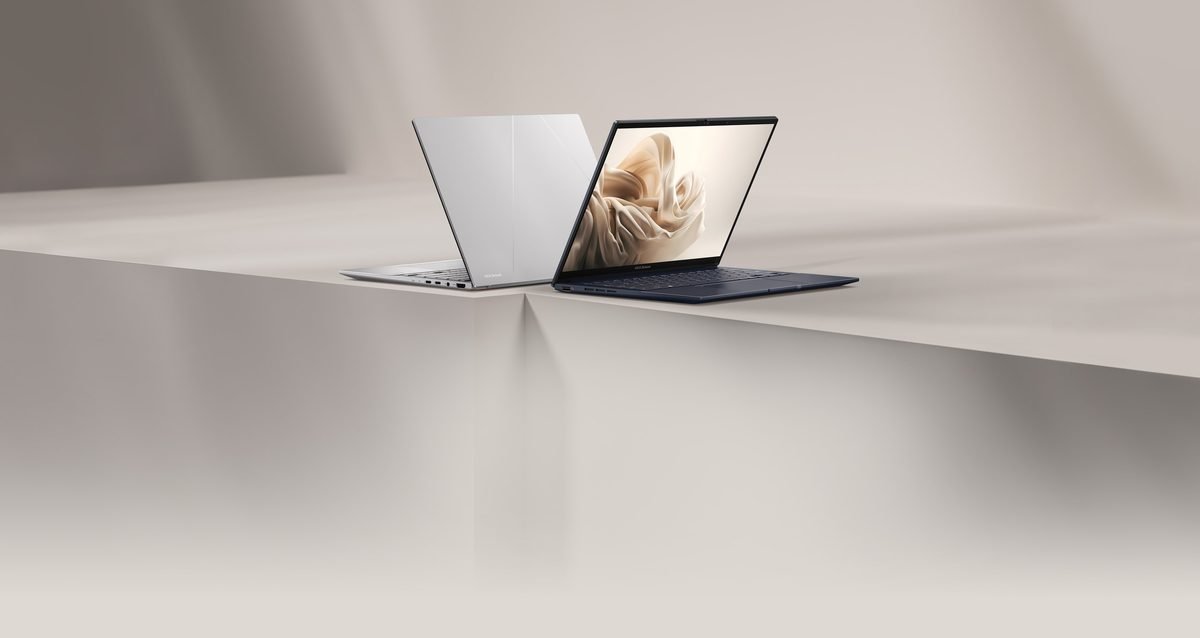
Finding a thin laptop that lasts all day without emptying your wallet is tough. Usually, you have to compromise on speed or screen quality. The ASUS ZenBook A14 aims to change that. This slim machine targets students, remote workers, and travelers who need reliable performance on the go. Having spent a week with this 2026 model, I found that its lightweight metal frame and bright screen make a great first impression. It weighs under three pounds, making it easy to slip into any bag. Inside, it pairs a fast processor with long battery life. You will not be playing heavy 3D games on it, but it easily handles daily tasks like web browsing, streaming, and editing documents. If you want a dependable laptop that cuts out the extra bulk, this one deserves a close look.
ASUS ZenBook A14 Overview and Design
The design of this laptop focuses on durability and style. ASUS uses a tough aluminum alloy for the body, which stops the frame from bending when you carry it around. A matte finish coats the metal to resist oily fingerprint smudges, keeping the computer clean during busy workdays. The device weighs just 2.7 pounds and measures 0.59 inches thick, so it easily fits into tight backpack sleeves.
For connections, the laptop mixes modern and older ports well. You get two USB-C ports, which are standard oval-shaped connectors used for fast charging, external screens, and quick data transfers. The designers also included a full-size HDMI port, a common rectangular plug used to connect to TVs and projectors without needing extra plastic adapters. A classic USB-A port supports older flash drives and mice, while a standard 3.5mm headphone jack lets you plug in wired earbuds.
Daily usability is where the design shines. The keys sink down 1.4 millimeters when pressed, giving each tap a springy bounce that keeps your fingers comfortable during long writing sessions. Below the keyboard is a smooth glass trackpad that registers swipes and taps accurately without making loud, annoying clicking noises. The screen hinge rotates a full 180 degrees, allowing you to lay the display completely flat on a table to share your work with a colleague. Confirm current pricing on the manufacturer’s site before picking a configuration.
Display Quality and Visual Performance
The screen is a major highlight of this device. The ZenBook A14 features a 14-inch OLED display. OLED stands for organic light-emitting diode, a screen technology where each pixel creates its own light. This allows the screen to show true, deep blacks and sharp contrast that traditional LCD screens cannot match.
Reading text and looking at photos is incredibly easy on your eyes thanks to the sharp 2.8K resolution, which packs 2880 by 1800 pixels. If you enjoy editing family photos or watching movies, the color accuracy is impressive. The screen covers 100 percent of the DCI-P3 color space, which is a wide color standard used in movie theaters to ensure lifelike tones. Colors look vibrant without appearing artificially bright.
Screen brightness is another major benefit. The display reaches 400 nits of brightness for everyday tasks and can boost up to 600 nits when you watch high-quality HDR videos. A nit is a standard unit that measures screen brightness, where higher numbers make the display easier to see in sunny rooms. During my review testing, working next to a bright window in 2026 was smooth and effortless.
- OLED Contrast: Individual lighting pixels make movies and dark software themes look rich and clear.
- Color Precision: Complete color coverage benefits graphic design tasks and photo editing.
- Outdoor Reflections: The glossy glass surface catches noticeable reflections when used outside in direct sunlight.
The only notable drawback of this screen is the glossy glass finish. While it helps colors pop, it acts like a mirror when you step outside into direct sunlight. Under normal indoor office lights, however, the visual experience is top tier.
Performance and Benchmark Results
This machine handles typical office tasks with impressive speed. It features 16GB of RAM, which is the short-term memory your computer uses to run multiple apps at the same time. You can easily keep 20 browser tabs open while streaming music and editing a large presentation without noticing any lag.
To test the raw speed of the processor, we ran Geekbench, a popular testing tool that scores overall system performance. The 2026 model scored roughly 2,450 points in single-core tests and over 11,200 points in multi-core tests. These scores place this laptop near the top of its ultraportable class. Exporting a short video clip or saving large image files takes only a few seconds, making it a great tool for light creative work.
The cooling system does an excellent job of keeping the laptop comfortable. When the processor works hard, dual internal fans turn on to push hot air out. These fans make a soft, steady hum of around 38 decibels, which is quiet enough to ignore in a library. The bottom of the metal case gets warm, but it never becomes too hot to rest on your lap.
The main performance limitation is the graphics system. It relies on integrated graphics, meaning the graphics power is built directly into the main processor rather than using a separate, power-heavy graphics card. This design choice saves battery life, but it means you cannot run demanding 3D games smoothly.
Pros and Cons
When shopping for a thin laptop, weighing daily benefits against small frustrations helps you make the right choice. Here is a breakdown of what makes this model great and where it falls a bit short.
What We Like:
- Excellent port selection: You get a full-size HDMI port and a standard USB-A port alongside modern USB-C connections, so you do not need to carry extra adapter cables.
- Comfortable keyboard: The keys feel springy and offer deep travel, which prevents your fingers from getting tired during long typing sessions.
- Great value: In the classic matchup of the ASUS ZenBook against the MacBook Air, this machine offers more storage and memory for your money.
What We Do Not Like:
- Weak low-light webcam: The camera works well in bright daylight but produces grainy video when you are in a dimly lit room.
- Thin speaker sound: Vocals sound clear during video calls, but the speakers lack deep bass for music and movies.
- Pre-installed bloatware: You will need to spend about fifteen minutes deleting unnecessary trial software when you first turn on the computer.
Typically priced near $800 as of August 30, 2026, this laptop offers an excellent balance of premium features and fair pricing. You can confirm current pricing on the manufacturer’s site to see if there are any active promotions.
ASUS ZenBook A14 Spec Comparison Table
To see how this computer holds up against its rivals, it helps to look closely at the hardware specs. The ASUS ZenBook A14 enters the 2026 market as a strong competitor to other lightweight laptops. The base configuration of this model typically costs around $999 as of August 30, 2026. By comparing features like battery life, screen type, and processor speed, you can see where this model stands out.
Choosing between these systems often comes down to your operating system preference and budget. The ASUS models run Windows, which gives you great software flexibility and more physical ports. The MacBook option offers excellent battery life but forces you to use adapters for older accessories. Use the table below to compare these models. Confirm current pricing on the manufacturer’s site before buying.
| Feature | ASUS ZenBook A14 (2026) | ASUS ZenBook 14 OLED | Apple MacBook Air M3 |
|---|---|---|---|
| Starting Price | Around $999 (prices as of August 30, 2026) | Around $850 (prices as of August 30, 2026) | Around $1,099 (prices as of August 30, 2026) |
| Main Processor | Intel Core Ultra 5 or 7 | Intel Core Ultra 7 155H | Apple M3 Chip |
| Display Type | 14-inch OLED (120Hz refresh rate) | 14-inch OLED (120Hz refresh rate) | 13.6-inch IPS LCD panel |
| Memory (RAM) | 16GB to 32GB | 16GB | 8GB to 24GB |
| Storage Space | 512GB to 1TB SSD | 512GB to 1TB SSD | 256GB to 2TB SSD |
| Battery Life | Up to 15 hours | Up to 13 hours | Up to 18 hours |
| Total Weight | 2.6 pounds (1.18 kg) | 2.82 pounds (1.28 kg) | 2.7 pounds (1.24 kg) |
| Included Ports | 2x Thunderbolt 4 USB-C, 1x USB-A, 1x HDMI 2.1 | 2x Thunderbolt 4 USB-C, 1x USB-A, 1x HDMI 2.1 | 2x Thunderbolt 4 USB-C, MagSafe 3 charging port |
Battery Life and Real-World Testing
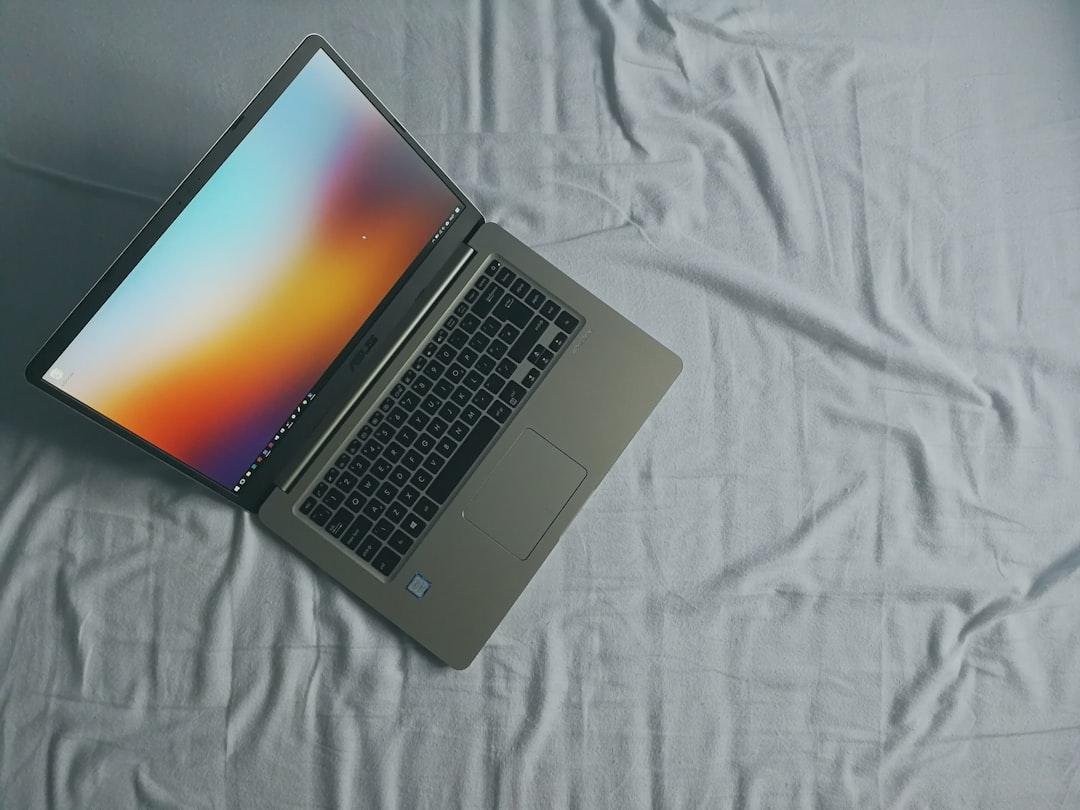
One of the most impressive features of this thin laptop is its long battery life. In daily use, writing documents, keeping several browser tabs open, and streaming background music, the battery lasted just over 11 hours on a single charge. This means you can comfortably leave your power brick at home when heading to the office or a local coffee shop.
The system manages its energy efficiently by lowering power consumption when you are just reading text. However, screen brightness has a major impact on battery life. If you turn the screen brightness up to maximum to work outside, the battery life drops to around seven hours. Running heavy tasks like editing photos will also drain the battery faster, giving you about six hours of unplugged use.
When the battery runs low, recharging is fast and simple. The laptop comes with a compact 65-watt charger, where a watt is a unit that measures electrical power transfer. This pocket-sized charger restored 60 percent of the battery in only 45 minutes, while a full charge took about 90 minutes. This quick speed is a huge benefit for travelers who need to power up quickly during short layovers.
Who Should Buy the ASUS ZenBook A14?
This laptop is an excellent choice for a specific type of user, but it may not suit everyone. Reviewing your daily computer habits will help you decide if this machine fits your routine.
This laptop is perfect for:
- Mobile professionals and students: The light frame makes it easy to carry around all day. It slips into small bags without causing shoulder pain.
- Frequent travelers: The compact size fits easily on small airplane tray tables, making it perfect for working on flights.
- Everyday multitaskers: It easily runs web browsers with many open tabs alongside office applications and video calls.
You should look elsewhere if:
- You are a serious gamer: The built-in graphics processor cannot run demanding 3D games at smooth speeds.
- You edit high-resolution video: Creators working with heavy 4K video files or 3D rendering will find the processor a bit slow for their tasks.
- You want a huge display: If you prefer a massive screen for viewing multiple windows at once without a separate monitor, you may feel cramped.
For the average buyer, the value of this machine is hard to beat. With street prices often sitting near $950 as of August 30, 2026, the ZenBook A14 offers a premium feel at a sensible price. Check the latest price on the official store to see if any active discounts are running.
Frequently Asked Questions
How long does the battery last on the ASUS ZenBook A14?
During normal daily office tasks, the battery lasts about 11 hours. If you turn the screen brightness to its maximum setting or stream high-definition video continuously, the runtime will drop closer to 8 hours.
Does this laptop feature an OLED screen?
Yes, this model features an OLED display, which provides incredibly rich colors and deep contrast. The screen has a glossy finish that looks great indoors but can show strong reflections if you use it in direct sunlight.
Can I upgrade the memory or storage later?
You can upgrade the solid-state drive to get more storage space, but the memory is permanently soldered to the motherboard. You should choose between 16GB or 32GB of memory when you buy the laptop.
How much does the laptop cost and is it a good value?
This model typically starts around $900 as of August 30, 2026. Given its high-end metal design and beautiful display, it offers excellent value compared to more expensive competitors. You can check the latest price on the official store.
Is this laptop suitable for playing modern video games?
The built-in graphics system can handle casual games like Minecraft or older titles. However, it will struggle with demanding 3D action games. Serious gamers should look for a laptop with a dedicated graphics card.
Final Verdict: Is the ASUS ZenBook A14 Worth It in 2026?
The ASUS ZenBook A14 offers a fantastic balance of premium design, long battery life, and excellent everyday performance. While it skips the experimental dual screens found on more expensive models, it excels at the core features most people need.
For students and remote workers who need a reliable machine, this laptop is an easy recommendation. It delivers a fast, quiet experience without charging a premium for unnecessary extras. This model is often listed near $850 as of August 30, 2026, making it highly competitive with other lightweight computers that cost much more. The sturdy metal body, great port selection, and bright display ensure this laptop will remain useful for many years.
Here is a quick summary of what makes it a great choice:
- Excellent value: It offers premium build quality at a reasonable price point.
- Convenient connections: You get a wide variety of ports, so you do not need to carry extra adapter cables.
- Comfortable design: The springy keyboard and smooth trackpad make typing a pleasure.
If you want a dependable, portable computer for writing, browsing, and media consumption, this model is a smart investment. Confirm current pricing on the manufacturer’s site before making your final decision.